The RIDR Guide
Everything in RIDR, in the order you'll actually use it. Free features work forever on one bike; anything marked Pro is part of RIDR Pro.
Set up your garage
- Open RIDR — no account, no signup. The app works immediately.
- Add your first bike: scan or type the VIN, or pick your year, make, and model. The spec database covers 42,000+ models back to 1894, every make.
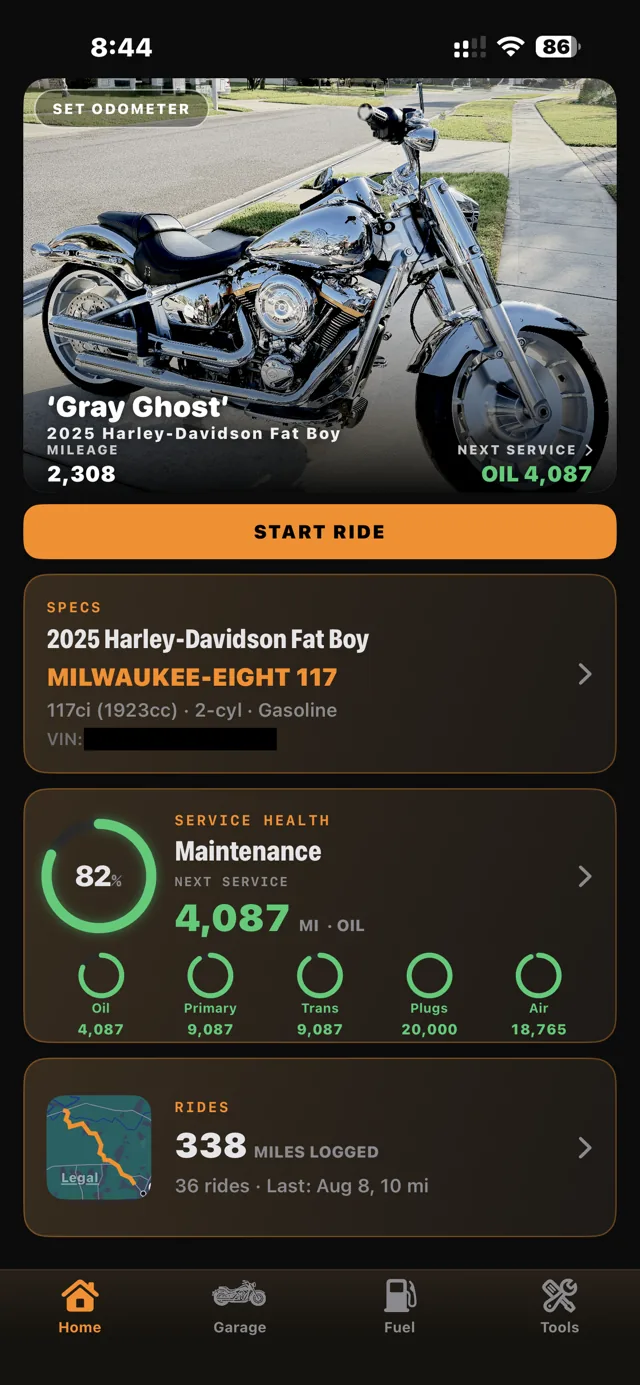
- RIDR fills in factory specs — torque figures, fluid capacities, bore and stroke. Set the current odometer and you're live.
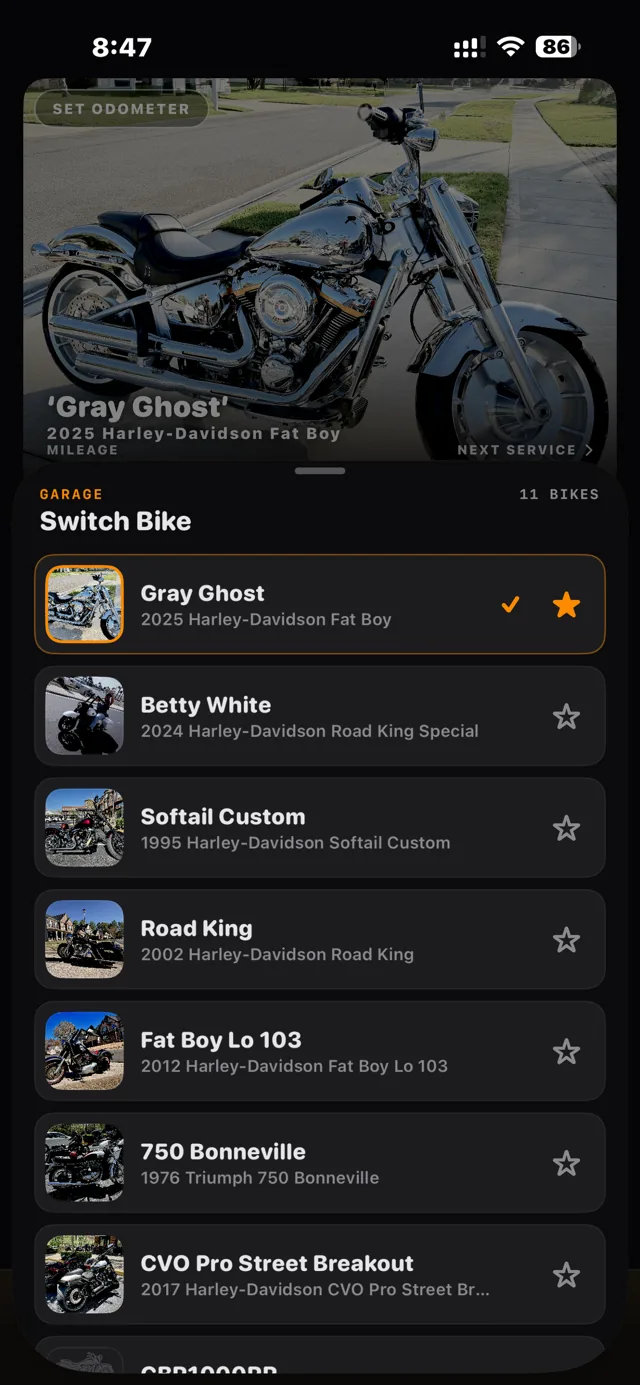
- More than one bike in the shed? Add them all Pro and switch from the Garage tab. Each machine keeps its own history, mileage, fuel log, and specs.
Log service & read the ring
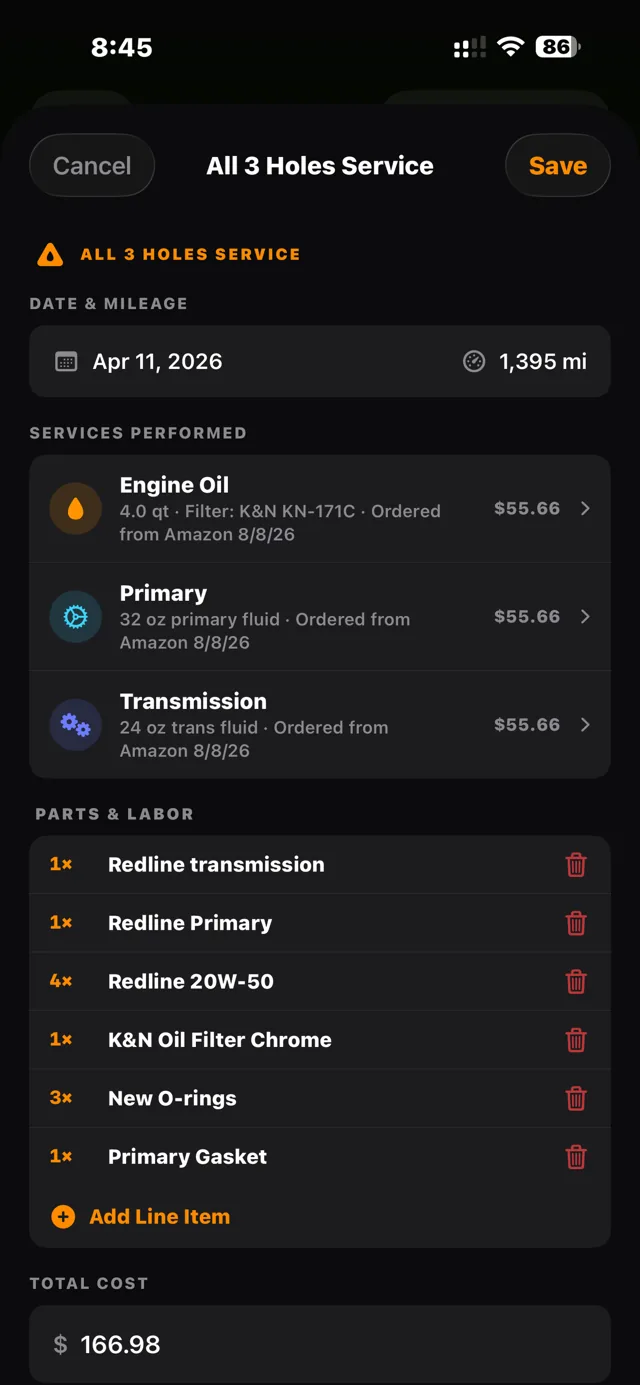
- Open Maintenance and pick what you did — oil, primary, transmission, plugs, air filter, or anything custom.
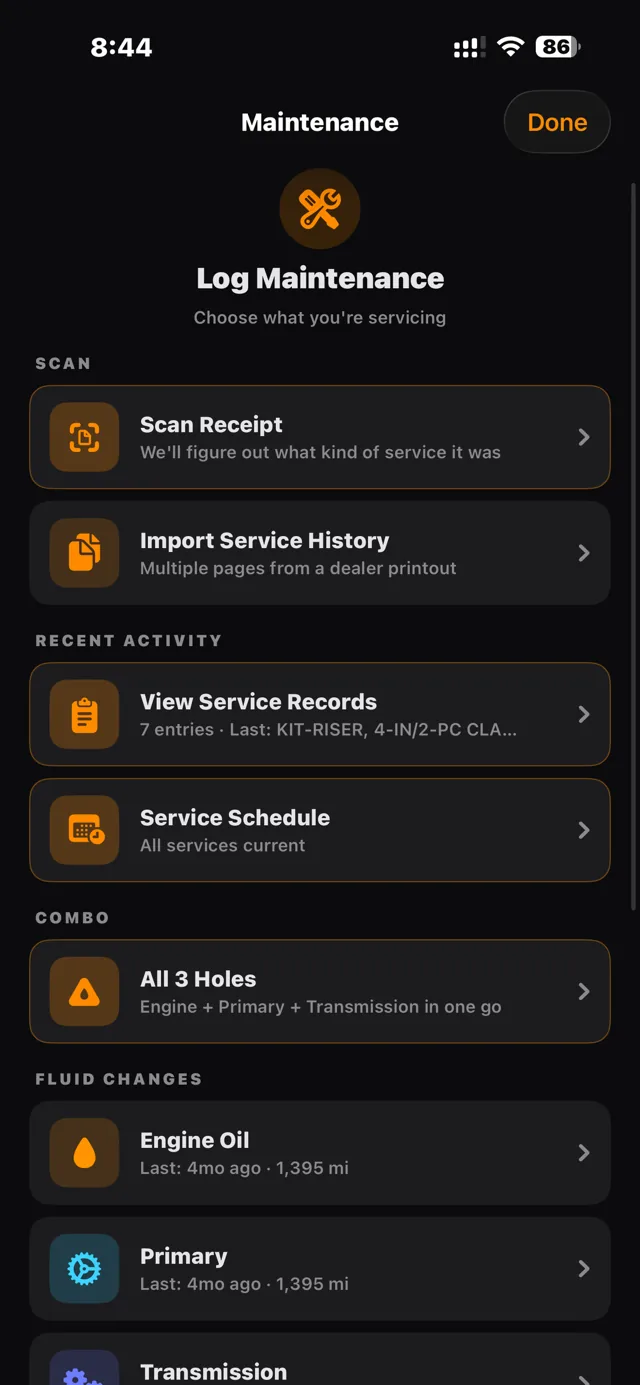
- Doing engine, primary, and transmission in one session? Use All 3 Holes — one entry, three services, the way you actually work.
- The Service Health ring rolls every interval into one number. Green means ride. Red means wrench. Per-item countdowns show miles remaining under each dot.
- Intervals ship at factory defaults and every one can be overridden per bike from the Service Schedule.
Scan receipts & import dealer history Pro
- Tap Scan Receipt on any service form and photograph the receipt — dealer service desk, parts counter, or independent shop.
- RIDR reads the date, mileage, parts, and cost, picks the right service type from the part numbers, and shows you everything for review before it saves. The photo stays attached to the record.
- Years of paper history? Use Import Service History: photograph the dealer printout — multi-page works in one pass — and RIDR splits it into individual services with parts as editable line items.
Track fill-ups & MPG
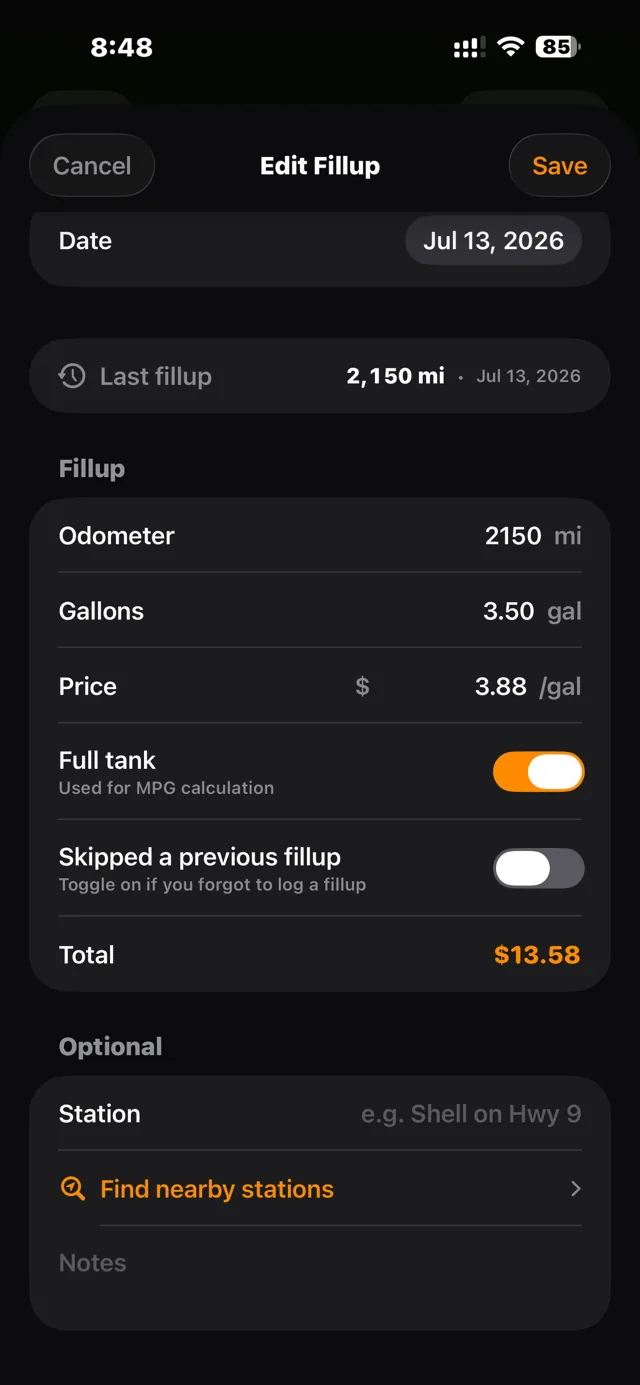
- Log a fill-up from the Fuel tab or straight from your Apple Watch Pro: odometer, gallons, price.
- Toggle Full Tank so MPG math stays honest, and flag a skipped fill-up if you forgot one — RIDR won't fake the average.
- Fuel entries feed the odometer, which keeps every service interval current without you thinking about it.
Record rides, discover routes, share live
- Tap Start Ride. GPS records the route and feeds the odometer automatically. Pause for fuel or lunch and the clock splits — elapsed keeps counting, rolling stops, GPS shuts off.
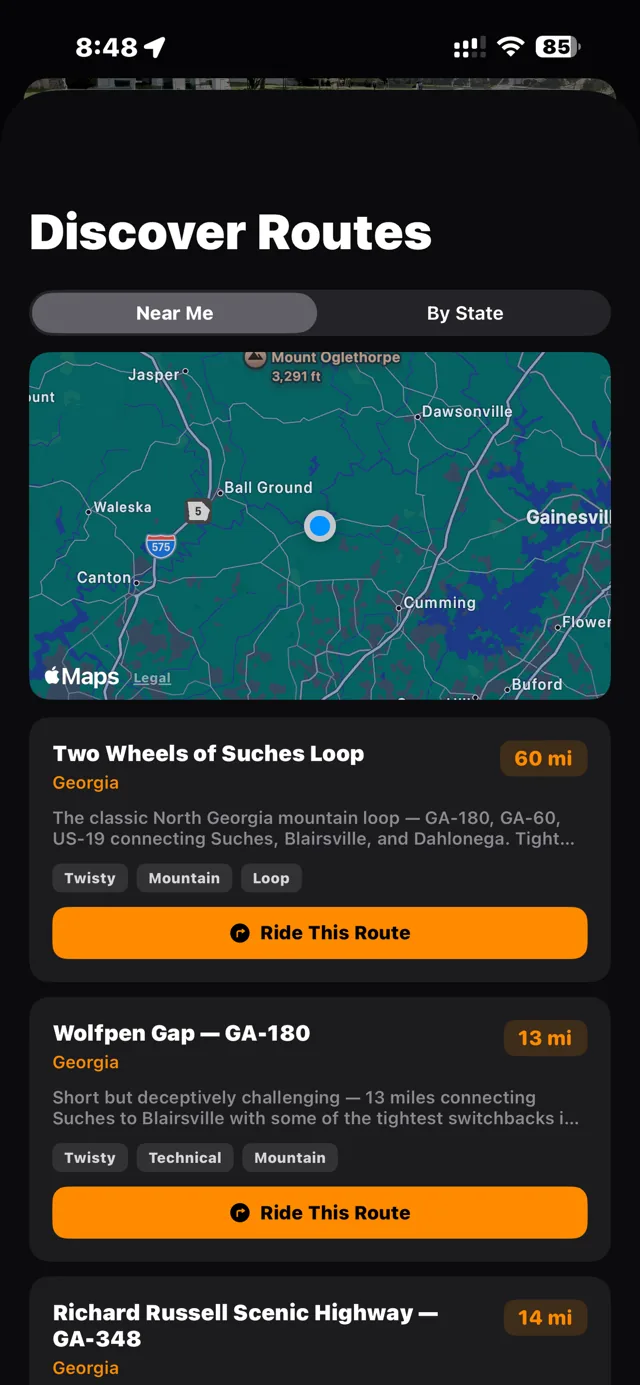
- Browse Discover Routes for curated rides near you. Free riders see the 15 nearest; the full route book is Pro.
- Send someone a live link Pro and they can follow the ride on a map — no app needed on their end. The link expires on its own and location is purged after the ride.
- Ride start and stop texts Pro can let your people know when you roll out and when you're parked.
Set up crash detection
- Open Safety and add your emergency contacts. This feature is free and always will be — we don't gate safety.
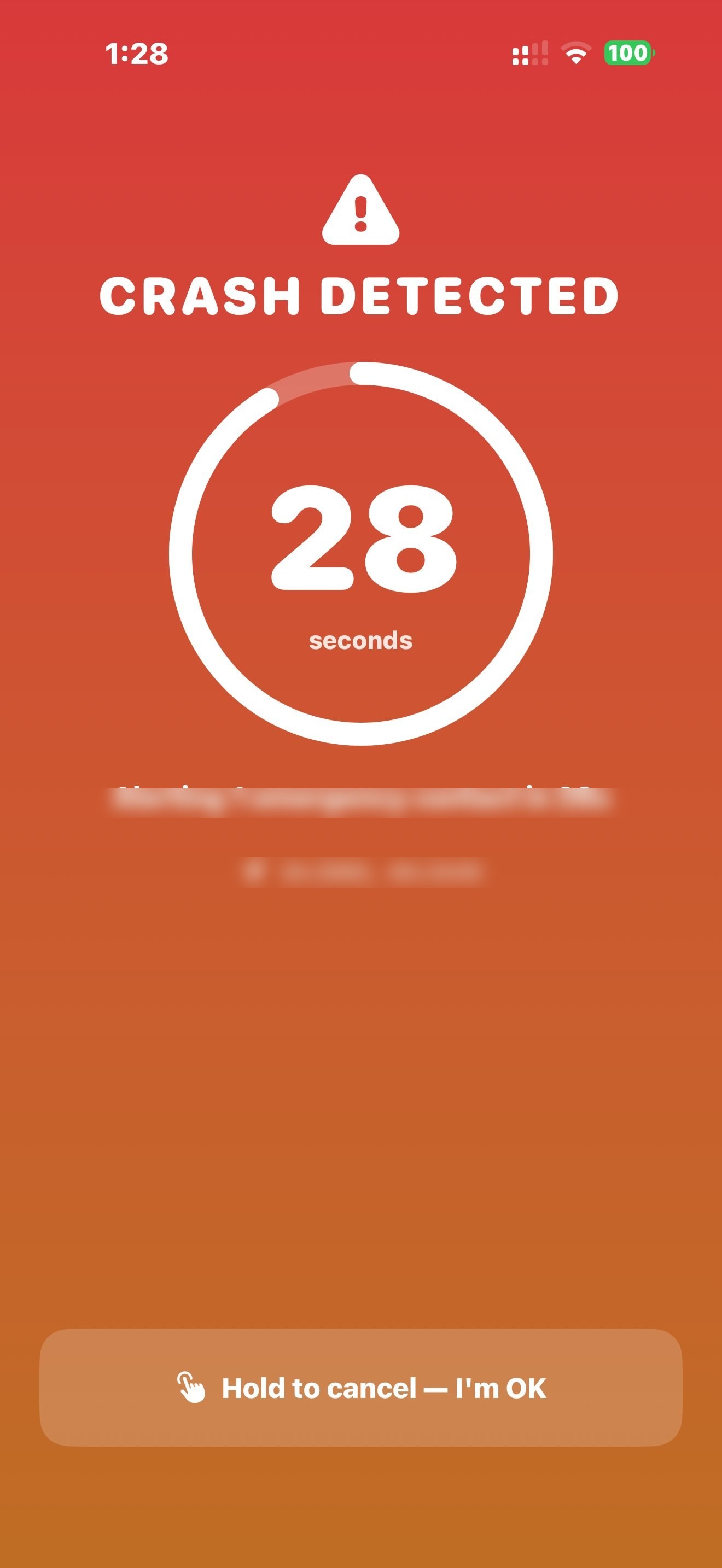
- If RIDR thinks you've gone down during a ride, a full-screen countdown starts. Hold to cancel if you're fine.
- If you don't cancel, RIDR texts your location to your contacts. That's the only text RIDR ever sends on its own.
The Apple Watch app Pro
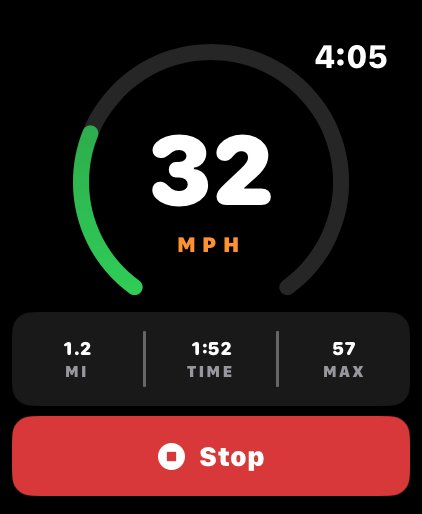
- Start a ride, log a fill-up, or log service straight from the watch — the phone stays in the tank bag.
- Pin the RIDR complication to your watch face; it shows the ride in progress.
- Stopping or pausing a ride from the watch always works, subscription or not — safety-adjacent controls stay free.
What's free, what's Pro
Free, forever: one bike, maintenance logging, the service schedule and health ring, fuel and MPG, the full spec database, ride recording, and crash detection SMS.
RIDR Pro: unlimited bikes, dealer-history import, receipt scanning, PDF export, the Apple Watch app, ride start/stop texts, live ride sharing, GPX export, and the full route book. $9.99/month with a 7-day free trial, or $59.99/year — first year $39.99 during launch.
Something missing? Something broken? Tell me.
RIDR is built by one rider, for all of them. If your bike's not in the database, an interval's wrong, a feature you need doesn't exist, or something just broke — email support@ridr.net and it lands with the guy who wrote the code. That's the roadmap.